If you use the same color, text look or effect in several places, save it as a style. When you change a style, every place using it changes too, so the bigger your work gets, the easier it is to keep the whole design consistent. This page sums up the kinds of styles Opkle Editor offers and how to use them.
The styles section
The Styles section in the right inspector holds four kinds of styles. Para styles store text looks such as font, size and line height. «Body» is included by default, and you change it with Edit. Defining a type hierarchy such as title, subtitle and body as paragraph styles lets you change the text look of the whole document at once. Color chips is a 72-slot color style board.
Adj style: select a photo or video and click + to save its current adjustments as a whole. When several photos need the same color mood, match one, save it and apply it to the rest, which is handy for keeping a photo series consistent. Vector style: select a shape or text and click + to save the non-default parts of its look among fill, stroke, opacity, mode and effects.
Fill styles and stroke styles
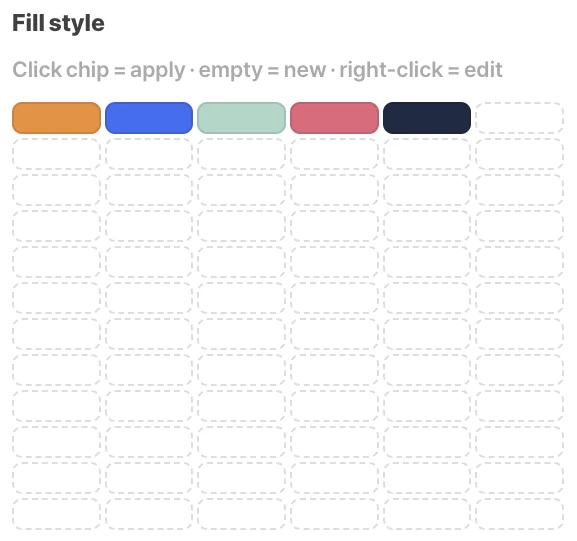
Click the ⁘ button in the Fill (or Line) title row to open a small style board. Click an empty slot to save the current color as a new style, and select another element and click a chip to apply that style. Right-click a chip to change its color or edit it; changing a chip's color updates every element using that chip.
Color variables: light and dark
From a chip's menu you can link that chip to a color variable. A color variable holds two values, light and dark, and by choosing light or dark per artboard in the variable table you can view the light and dark versions of the same design side by side. When you design app screens that support dark mode, you can manage both looks without drawing every screen twice.
Tips for using styles well
There's no need to turn everything into a style from the start. Begin with things you use «the same way in many places», such as brand colors, title text and button shadows. Naming styles by purpose, like primary color, body or card shadow, makes it easy to know what goes where when you work with others later.