




When you set out to choose a graphic design tool, two names usually come to mind first. One is Adobe, which has long led photography, illustration, and editorial design. The other is Figma, which popularized designing screens together with others in the browser. Whether you've just started learning design or have worked in it for years, you've probably wavered between these two at least once.
But choosing a tool isn't about deciding “which one is better.” Each tool is good at different things, with a different background and a different way of working. The best tool for someone who works deeply with photos, someone who designs app screens, and someone who makes books and posters will naturally differ. So when comparing tools, it's better to think first about “where does my work start and where does it end” than to read through feature lists.
In this article, we look at what the best-known graphic design tools are strong at and what to use as your criteria when choosing.
1.What Adobe's Photoshop, Illustrator, and InDesign have each been responsible for.
2.How Figma changed the way design work is done.
3.The trouble that comes from using the two tools together.
4.How Opkle Editor answers that trouble.
Adobe — Specialist Tools That Built Depth in Each Field
Adobe's design tools have long served as the standard in their fields. Photoshop became synonymous with photo correction, compositing, and retouching, and Illustrator settled in as the basic tool for logos, illustration, and vector graphics. InDesign is the tool that handles pages and text flow with precision in editorial design made of many pages, such as books, magazines, and brochures. It's also a big strength that print shops, publishers, and agencies have worked for a long time with these tools' file formats as the standard.
What characterizes Adobe's tools is the depth in each field. Features built up over a long time show their strength in work that digs deep into one area, such as polishing a single photo pixel by pixel, managing print colors precisely, or setting the typography of a book of several hundred pages.
But that depth also means the tools are separate. Photos go in Photoshop, logos in Illustrator, books in InDesign, so while finishing one piece of work you move between several apps, passing files back and forth. And since around 2013, Adobe has moved from buying a tool once and using it indefinitely to a subscription model with monthly or yearly fees. The more apps you need, the wider the subscription grows, and if you stop subscribing, it becomes hard to keep using the tools.
Figma — Designing Screens Together
Figma changed the way design tools work in a big way. It opens in the browser with no installation, and many people can view and edit the same file at once. The sight of planners and developers looking at a designer's screens through the same link and leaving comments right away has become something like the default of design collaboration since Figma.
Figma is especially strong in app and web screen design. It lets you build screens that don't fall apart when content changes, using frames and auto layout, manage repeated buttons and cards from a single original with components, and gather these into a design system. For service design, where screens grow to dozens or hundreds, this structure is a big help.
On the other hand, Figma is a tool focused on screen design, so deep photo correction, painting pixels directly, and editorial design for print often get help from other tools. In the end, a flow emerges in which photos are polished in Photoshop and brought into Figma. Figma also has a free plan with limited features, but using it with a team or expanding its features usually means a subscription with monthly fees per person.
The Trouble With Using Both Together
In real work, people often mix several tools rather than using just one. Screens are designed in Figma, the photos that go in them are corrected in Photoshop, the logo is polished in Illustrator, and a brochure for the same brand is made in InDesign. It's a flow that arose naturally because each tool is strong in its own field, but it brings a few troubles.
Troubles when moving between tools
Between passing files back and forth, layers get merged or text hardens into an image, making it hard to edit again.
Shortcuts and concepts differ slightly from tool to tool, so your hands slow down every time they switch tools.
Managing the same colors, fonts, and parts separately in each tool makes them easy to drift apart.
The more tools you need, the more the monthly subscription fees grow along with them.
The core of the trouble comes down to one thing: the work needed to finish a single piece is not connected in one place but scattered across several tools. Each tool may be excellent, but time and money leak out of the gaps between them.
Opkle Editor — Scattered Work on One Screen
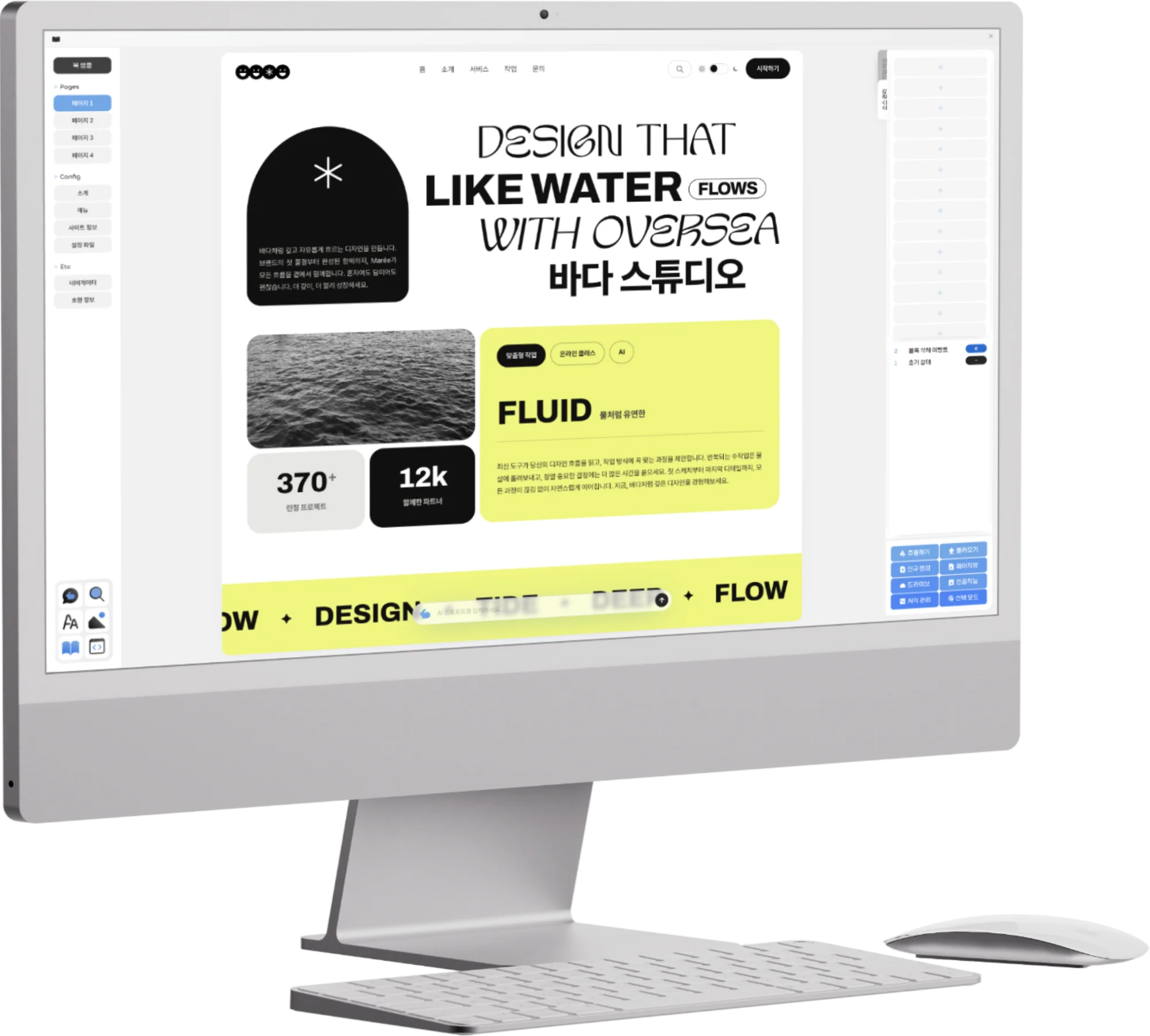
Opkle Editor is a graphic design tool built to reduce those gaps. Illustration work like vector shapes, the pen, and pathfinder, photo correction like levels, curves, and layer styles, and pixel editing like brushes and retouching all work together on the same canvas. Placing a logo and live text right on top of a corrected photo, building app screens with frames, auto layout, and components, and even adding animation and exporting to video all continue within one app. Multi-page output such as books and printed pieces is handled in the layout section of the same project and exported as PDF and EPUB.
It also takes care of people coming from other tools. Its shortcuts follow Figma's, and features with names you already know, like frames, auto layout, components, layer styles, and adjustment layers, sit in similar places. You can bring in the files you've been using as they are. Photoshop PSDs open with their layers intact, Illustrator files and PDFs spread out as artboards page by page, and Figma files come in with frames as artboards and with components and instances still linked. InDesign documents come in with pages and text flow when moved over as IDML. Finished work can be exported as PNG, JPG, WebP, and SVG images, PDF, and MP4 video, and you can hand it back as a PSD to a colleague who uses Photoshop.
AI is built into the tool as well. Features like background removal, AI selection, and noise removal run on your own computer, while larger jobs such as image generation and upscaling use credits. Describe what you want in words and Opkle AI operates the editor directly, and in the desktop app you can connect your own AI, such as Claude, through MCP to hand off repetitive work or have it build the plugins you need.
And Opkle Editor Doesn't Even Have a Subscription
The question that remains to the end when comparing tools is, in the end, cost. Adobe offers deep tools for each field, and Figma offers a way of designing screens together, both by subscription. Both are good tools, but the more tools your work needs, the more the monthly cost grows, and the worry remains that the moment you stop subscribing, it becomes hard to continue the work you've built up.
Opkle Editor gives a different answer here. It handles photos, vectors, screen design, and motion in one app, and there is no subscription to use the tool. Credits are used only for features that take real heavy computation, like the server AI. Your work is saved on the device you're using, and you can export the whole project as a single .opkle file to keep it or continue as is on another device. Even without paying a monthly fee, your work stays in your hands.
The criteria for a good tool differ from person to person. If you need to dig very deep into one field, a specialist tool for that field may be right, and if a large team needs to work on the same screens in real time, a collaboration-focused tool may fit. But if you want to finish correcting photos, placing logos, building screens, and adding motion and exporting in one place, and to use all of it without a subscription, Opkle Editor is well worth opening first. Just dragging in one of the files you've been using will let you feel the difference.
Key Takeaways
When choosing a graphic design tool, look first at where your work starts and ends, rather than which one is “better.”
Adobe built depth in each field with Photoshop, Illustrator, and InDesign, but the tools are separate and used by subscription.
Figma changed browser collaboration and screen design, but photo and print work often needs help from other tools, and team features are by subscription.
Mixing several tools creates gaps in file transfer, shortcuts, style management, and subscription costs.
Opkle Editor connects photos, vectors, screen design, and motion on one screen, opens the files you already use, and above all has no subscription.
© Abstract Cloud. All Rights Reserved.
+82 10-2747-3403
are copyrighted by Opkle.