Opkle Software - From Graphic Design to EPUB Editing
Six modules take you from graphic design to EPUB editing: canvas, layout, table, 3D, mind map and published docs. Open, edit and export EPUB in your browser.
EDITORCLASSBLOGLOGINEndless DesignPossibilities,All in One Place.From ideas to the webOpkle is a design and content platform for creators, connecting imagining, drawing, editing, and publishing in one place with six modules and AI.Shape your ideas on a mind map and publish them on the web without a break.
Opkle Software
Opkle combines six modules to fit how you create. Rearrange them, and one editor works many ways.ProjectShareReviewCommentProposeVersionSchedule+2Book spineCanvasCanvasCanvas21LayoutLayoutLayout51 proposalTableTableTable323D3D3D4Mind mapMind mapMind map13PublishPublishPublish6Opkle editorfor design6 modulesFree linksShare · commentAIOpkle editorfor books6 modulesPlan → publishEPUB · PDFAICanvasVector and pixel graphicsLearn moreLayoutInDesign-style page layoutLearn moreTableTables like NumbersLearn more3D3D mockups of your designLearn moreMind mapPlan and writeLearn morePublishPublish onlineLearn more
Opkle Modules
From canvas to publishing, meet the six modules. See what each one does, next to apps you know.11Canvas
Draw, retouch, and animate
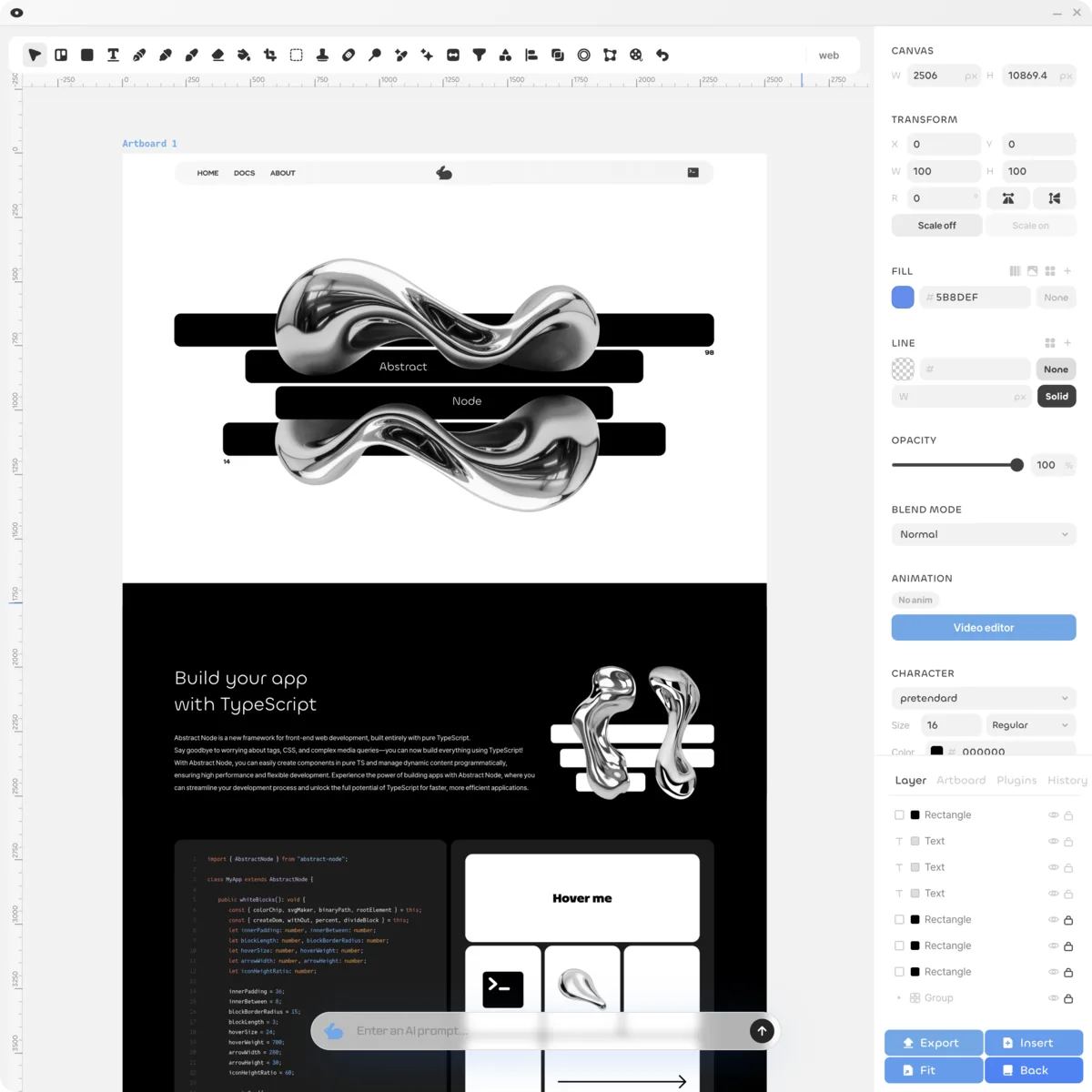
From the pen tool and pathfinder to auto layout and components, the vector design tools that Figma and Illustrator users know are all here, with no subscription.- Artboards, auto layout, components and variants - Brush, selection, adjustments, and liquify - On-device AI erase, background removal, object selection - Import SVG, PDF, AI, PSD and export per layer22Layout
Design pages spread by spread
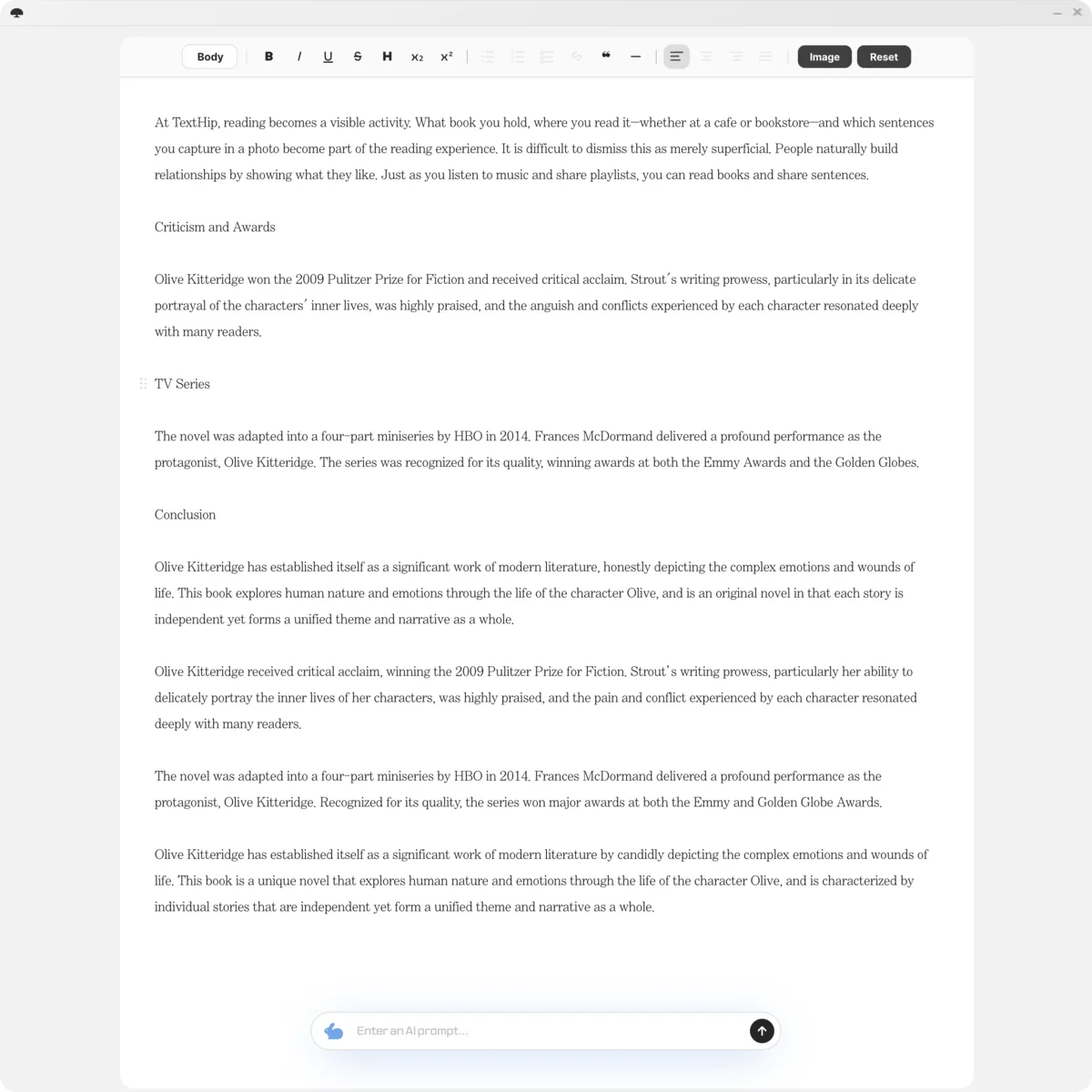
Set the trim size, build master pages, and flow your manuscript through threaded text frames. It works like InDesign, so it feels familiar from the start.- Trim sizes, master pages, threaded text frames - EPUB2 and EPUB3 editing and export - PDF export - Import HWP, HWPX, DOCX, IDML, PDF33Table
One clean table at a time
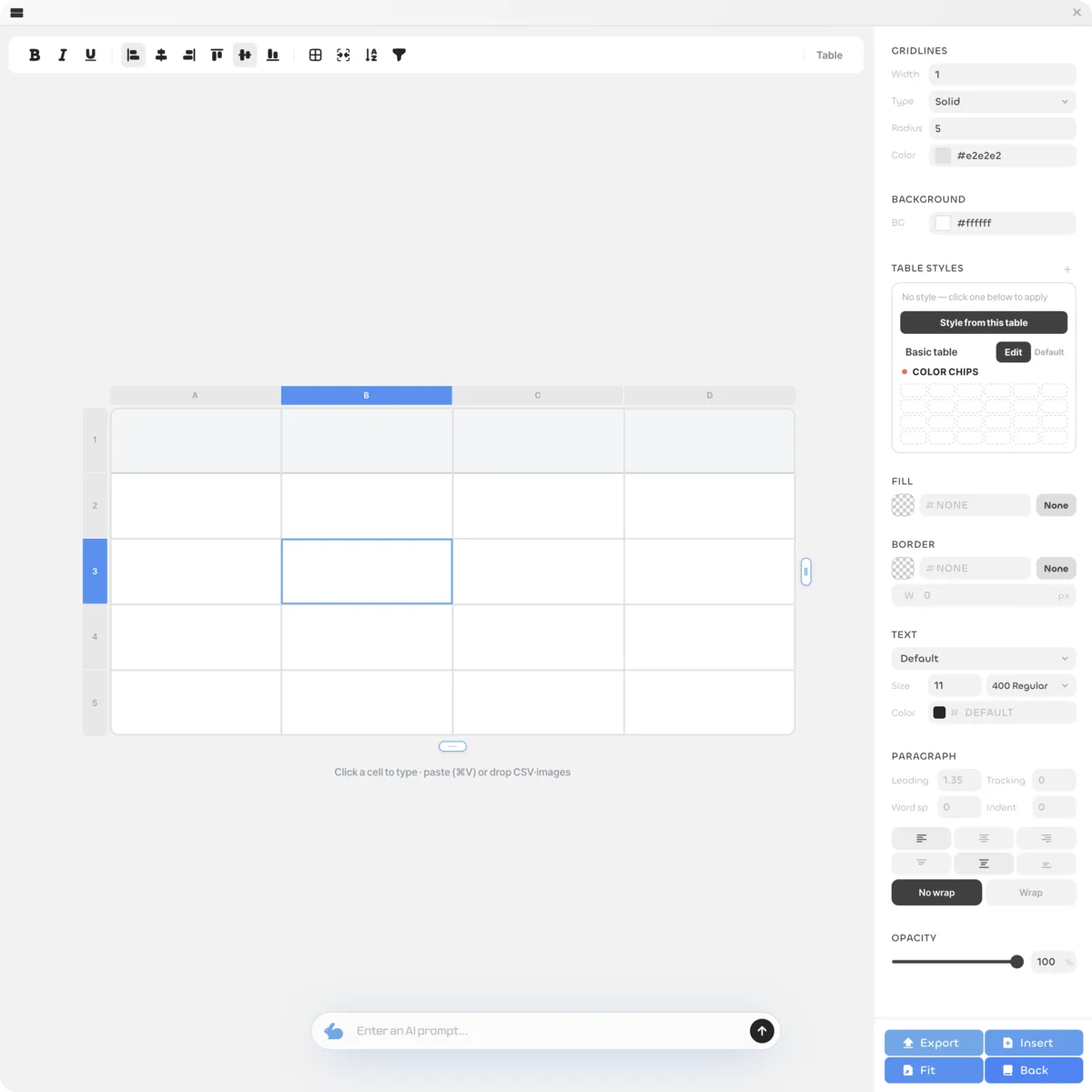
Fill in spec sheets, quotes, and checklists on a screen that feels like Numbers or Google Sheets. Filters and autofill keep even large tables tidy.- A Numbers-style single table - Filters, autofill, and table styles - Color chips shared with the book - Export as an image (SVG)44Dimension
3D mockups with your design
Place book and poster models on the stage, wrap them in your own designs, and refine materials and lights. Get mockups that look like real product photos in one go.- Book and poster mockup models - Materials, lights, and camera - Wrap surfaces with your own images - Export images from any angle55Mind map
Map it out, then write it down
Lay out your ideas on a mind map to shape the structure first, then open a document from any node to write plans and drafts. Open several documents side by side as windows.- An XMind-style mind map - Side-by-side document windows - Story bible and structure check in book mode - Import Word and Markdown, export to Word66Publish
Publish the result on the web
When you are done, create a publish document with Export and share it on the web exactly as it looks in the editor. Anyone can read it in a browser with a single link.- A final version made with Export - A public opkle.page address - Looks exactly as it does in the editor - EPUB-style or PDF-style view
Apart Yet Connected
Six modules, not separate apps, but one workspace. The mind map leads the way and AI lends a hand.AIJust ask
AI in Every Module
Opkle AI lives in every module and carries out its features when you ask in plain words. Writing, translation, and image generation continue in the same chat.ProjectCanvasLayoutTable3DCanvas
Open from the Mind Map
Every piece of work becomes a node on the mind map. Double-click a node to open its module, and close it to return to the map..opkleMy computer
Saved on Your Computer
Everything you make is grouped into one project and saved on your computer. A whole book can be backed up and moved as a single .opkle file.
AI via MCP
Connect Claude Desktop, Claude Code or Codex. Just ask, and the AI builds and edits your files.Only on this computerOpkle Editor✓On · 127.0.0.1:39141✓Claude Desktop✓Claude Code✓CodexToken required
In the App
Get the connect button and commands from the AI connection box in your profile. Local only, and it needs a token.ClaudeOpkle EditorCanvas and layout, by scriptInstall✓Addedopkle_statusopkle_readopkle_run_bundleopkle_run_scriptopkle_describeopkle_openMake the poster title bluerun_bundle✓✓Checked in preview
One Click
Press connect and Claude Desktop opens an install window. Opkle tools then edit your files from the chat.Terminal❯claude mcp add --transport http opkle …✔opkle · Connected❯Make a poster and two cardsOne scriptPoster✓Card 1✓Card 2✓✓Checked in preview
One Command
Paste the copied command into your terminal to connect. The AI builds designs by script and checks the preview.
Plugins
Add plugins, or simply ask your AI to build one. Grab more from the market and grow your editor.
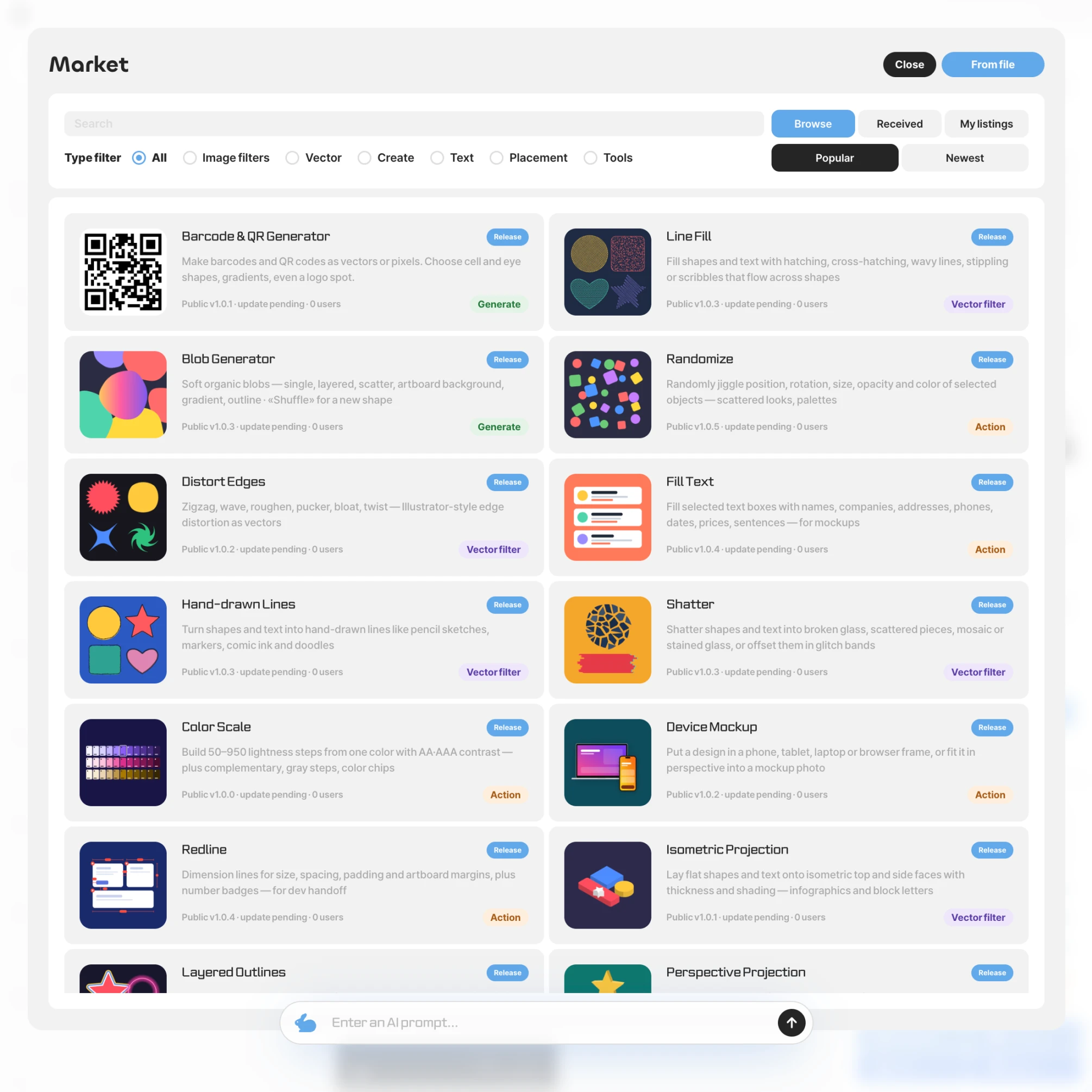
Market
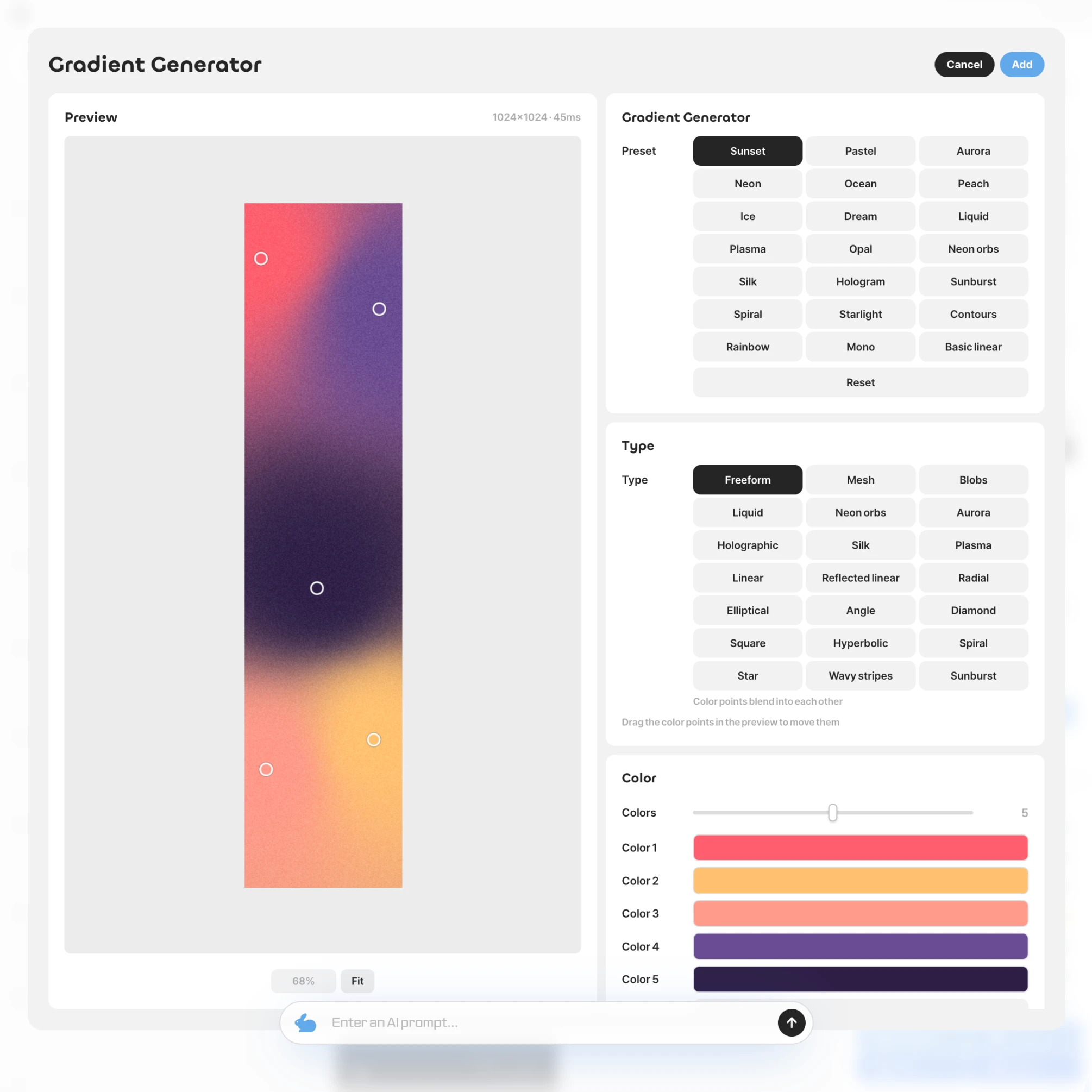
From built-in gradients, barcodes, and charts to filters and tools shared by others, pick what you need from the market. Once installed, it sits in the Plugins tab.
Built In
Preview and pick values just like in any other editor window. You can undo the result anytime with a single ⌘Z.Make me a barcode pluginMy AIMCPopkle-plugin.jsonmain.jsrender.js✓Tests passedBarcode makerCreate✓
Vibe Coding
Ask your own AI, connected over MCP, for the feature you want. It builds and tests the plugin, then adds it to your Plugins tab.Publish my pluginPlugin marketDesigner✓Marketer✓Writer✓
Share
Install plugins from the market and use them right away, and publish your own plugins to share with everyone.
All in One
See how Opkle joins scattered tools into one flow. From AI to graphics and video, all in one place.1
Scattered Editing Process
You gather images here and there, then pass through several tools before a design is done, an endless loop of export and import.2
A Collaborative Workflow
We wanted all those scattered tools in one place, where generating an image and fixing it by hand flow together. That is how Opkle began.3
Design Finished by Editing
Images made by AI can be reworked freely. Drop one straight onto the artboard and refine its colors and shapes into your own design.4
Video Editing in One Place
The same flow carries on into video. Color-grade a generated clip on the same screen and add motion on the timeline.FAQFront Question and AnswerOpkleQ. What is Opkle?A. Opkle is a software company that builds design and content tools for creators. We develop Opkle Editor, a graphic editor that handles vector and pixel images together with no subscription, and we also offer classes and production services so creators can finish their own work.Opkle EditorQ. What is Opkle Editor?A. Opkle Editor is a professional-grade vector and image editor with no subscription fee. You can make and share logos, illustrations, app UI mockups, social images, and even book covers in a single app. Vector design, UI design features such as frames and auto layout, photo and pixel editing, motion graphics, and AI all live on one screen.Q. Can a beginner use it?A. Yes. Opkle Editor is built so that first-time users can get started. Drag in a ready-made template and change only the text and colors, or place shapes and images by clicking and dragging and then adjust size, color, font, and spacing in the settings panel on the right. AI helps with time-consuming jobs such as removing backgrounds or erasing objects.Q. I use Figma, Illustrator, or Photoshop. Is it for me?A. Yes. Opkle Editor follows familiar conventions so that people switching from other design tools feel at home. Multiple artboards, frames and auto layout, components and variants, the pen tool and pathfinder, and adjustment layers work on the same concepts, and the shortcuts follow the Figma way. You can also open your existing SVG, PDF, Adobe Illustrator (.ai), and Photoshop (PSD) files and keep working.Q. What can I make?A. Logos, icons, characters, and vector illustrations, app and web mockups and component libraries, carousel posts, banners, product page images, book covers, posters, merchandise designs, and figures for presentations and teaching materials. Export finished work as PNG, JPG, WebP, or SVG, and export animated work as MP4 video.VectorQ. Can I use multiple artboards?A. Yes. Opkle Editor lets you lay out multiple artboards side by side on one canvas. Create outputs of different sizes, such as a poster, an app screen, and a social banner, together in one file, and name, drag, or resize each artboard. It is especially handy when you compare several versions of the same design.Q. How capable is the pen tool?A. The pen tool and node editing let you draw exactly the curve you want. Pathfinder operations such as union, subtract, intersect, and exclude, along with compound paths, make complex shapes easy to build, and the tools are precise enough for logos and icons.Q. How do fills and strokes work?A. You can stack multiple fills and strokes on a single shape. Use solid colors, gradients, and image fills, and give strokes options such as width, dashes, and arrowheads. Because they stack, a single shape can carry several shadows or outlines.Q. Can I warp or repeat shapes?A. Yes. Warp, perspective, and puppet transforms let you bend and twist shapes and images freely. Blend, which creates a smooth transition between two shapes, and repeat, which arranges the same element in a regular pattern, help you build patterns and decorative elements quickly.Q. Can I design text and tables?A. Yes. Text in Opkle Editor stays live and is never flattened into an image, so you can edit the wording even after the design is done. Fine-tune font, size, letter spacing, and line spacing, and create tables right inside your design to organize information like price lists and schedules alongside your graphics.UIQ. Can I make app or web mockups?A. Yes. With frames, auto layout, and constraints, you can design screens that hold together when sizes change. When a label gets longer, the button grows with it, and when the screen width changes, elements follow the rules you set. Place phone, tablet, and computer screens side by side on multiple artboards and refine them together.Q. What are components and variants?A. A component turns an element you use again and again, such as a button, card, or icon, into a single source. Edit the source and every place that uses the component updates right away, and versions with different sizes or states can be grouped and managed as variants. Your design stays consistent even as the number of screens grows.Q. Can I manage a design system?A. Yes. The asset library, color styles, and variables keep the design rules of your team in one place. Layout grids and snapping align everything down to the pixel, so screen mockups and component libraries are built to the same standard.Q. How do I export for developers?A. You can set export settings on each layer. Export icons as SVG and photo banners as PNG, JPG, or WebP, at several scales in one go. There is no need to export images again one by one every time a screen changes.PhotoQ. Can I edit photos?A. Yes. Opkle Editor includes photo editing tools such as brushes, pixel selection, clone stamp and healing, dodge and burn, and crop. Without opening a separate photo editor, you can retouch the photos for your design on the same screen.Q. Can I correct colors?A. Yes. Adjustments such as brightness, contrast, hue, and curves are supported, and adjustment layers let you stack corrections without touching the original. Change the values later or toggle them on and off to compare results, so you can experiment with photo tones safely.Q. Can I reshape a photo?A. Yes. Liquify lets you push and pull shapes in a photo for natural-looking retouching. Paint over anything you want gone and AI erase fills it in to match the surroundings, and the clone stamp and healing tools let you touch up fine details by hand.Q. Can I mix vectors and photos?A. Yes. This is one of the biggest strengths of Opkle Editor. You can mix vector graphics and photos in a single project without switching apps. On the very screen where you adjusted a photo, place a logo and text on top of it and even crop the photo into a shape, all in one pass.Motion and 3DQ. Can I make animations?A. Yes. The timeline and keyframes bring shapes, text, and images to life. Set changes in position, size, rotation, and opacity without code, and control the feel of the motion with a range of easing curves to create smooth motion graphics.Q. Can I export video?A. Yes. Animations made in Opkle Editor can be exported as MP4 video. It is useful when you need video rather than a still image, such as animated covers, promo videos, lecture materials, and short clips for social channels.Q. Can I edit video?A. Yes. Add video as a layer, place it in your design, and grade its color with the same adjustments you use for photos. Work with video and animation together on the timeline and finish them as a single scene.Q. Can I make 3D mockups?A. Yes. Opkle has a built-in 3D editor. Apply your own design to a 3D model such as a book or a poster, set the lighting and angle, and create mockup images that look like the real thing. It is useful for presenting cover drafts and merchandise designs.AIQ. Which AI features are included?A. You get editing features such as AI erase, which naturally fills in whatever you remove, background removal, one-click object selection, line art extraction from photos, colorizing black-and-white photos, and style transfer. On top of that, AI fill, upscaling, AI image generation, and AI video generation are supported.Q. Are my photos uploaded?A. AI erase, background removal, object selection, line art extraction, colorizing, and style transfer run directly on the graphics card of your own computer, so your photos are not uploaded to any outside server. Features that need large models, such as AI fill, upscaling, image generation, and video generation, send the data required to process your request to a server, and they are used with credits.Q. How does background removal work?A. Background removal keeps only the person or object in a photo and clears away the rest, and object selection picks out the object you want with a single click. Just brush over what you want gone and AI erase fills it in to match the surrounding colors and textures. It is especially useful for product page images and carousel posts.Q. Can I generate images and video?A. Yes. Opkle Editor supports a variety of AI image and video generation models. Generate images that are hard to make by hand, such as cover drafts, illustrations, mood images, and background sources, then drop them straight onto an artboard and edit them as freely as vectors and photos.Q. Can I ask the AI to do the work?A. Yes. Opkle AI is built to operate the features of the editor directly, so when you describe the task you want, the AI works the editor for you. When you are not sure where a feature is, or when you have a lot of repetitive work, you can describe the result you want instead of hunting through menus.PricingQ. Is there a subscription fee?A. No. You can use Opkle Editor with no monthly subscription fee. Every editing feature is free, and only some AI features that need server computing run on pay-as-you-go credits, charged as you use them.Q. What uses credits?A. Credits are used for features that go through Opkle servers or outside AI models. That means jobs that need large models, such as AI fill, upscaling, AI image generation, and AI video generation. You are only charged for what you use, so a month without these features costs nothing.Q. How is it different from subscription tools?A. With subscription tools, stopping your subscription often limits your ability to open or edit your files. Opkle keeps working with no subscription, your project data is saved on your own computer, and you can export finished work as standard files such as PNG, JPG, WebP, SVG, MP4, EPUB, and PDF and own them outright. Even if you change tools, what you made stays in your hands.StorageQ. Where is my work saved?A. By default, all of your work is saved on your own computer. Opkle Editor uses a local-first architecture that makes full use of the local storage of the browser and IndexedDB. That is why large images and heavy project files respond quickly without waiting on a server, and your design data is not sent to a server unnecessarily.Q. Is my work uploaded automatically?A. No. Your core project data is saved in your local environment. Unless you upload it yourself or use a feature that relies on a server, such as sharing or cloud AI, your project files are not automatically stored on Opkle servers. This design keeps the designs, copyrighted work, and personal photos of creators as safe as possible.Q. Can I back up or move my work?A. Yes. Opkle Editor provides project export and import. Back up a project in progress as a single file, or import it on another computer and pick up where you left off. The architecture is local-first, but backup and transfer are built in, so you can rely on it for long-running work.Q. Does AI store my work on a server?A. AI features that go through a server may send the data needed to process your request, such as the text or images you selected. The core storage architecture, however, is local-first. When you work with sensitive designs or photos, it is important to know and choose what data you send to the AI.PlatformsQ. Where can I use it?A. Opkle Editor is available as macOS and Windows apps and in the web browser. You get the same screen and the same features wherever you open it, and the installed app is more stable when you work with large images and heavy projects for long stretches.Q. Do projects sync across devices?A. The default is local-first storage. In other words, projects are not all synced to a server automatically. To move a project to another device, use export and import, or a backup method of your choice. This design keeps control of your work in your hands.MoreQ. What sets Opkle apart?A. It is a professional-grade tool with no subscription. It lets you finish vector design, UI mockups, photo editing, motion graphics, and 3D mockups inside one app without jumping between programs. And your project data and photos stay on your own computer. Opening Figma, Photoshop, and InDesign files as they are and continuing your work is another strength unique to Opkle.Q. Where is Opkle headed?A. Opkle started as an EPUB ebook editor and has grown into Opkle Editor, a graphic editor that covers vector, photo, motion, and 3D. Our goal remains to build tools that let creators make, refine, own, and distribute their own content without being tied to a subscription.Q. How can I contact Opkle?A. Send your inquiries to help@opkle.app. Leave a message about using Opkle Editor, design work, or classes, and we will guide you according to your situation.
Core Tech
Opkle Editor is designed so that creators can focus on creating, not on technology. It is built on three core technologies: an AI that does the work for you, a high-performance engine that brings a full graphic editor to the web, and a fast, secure local workspace.🤖 Opkle AIEvery Opkle editor comes with Opkle AI built in. Just tell it what you want in plain language, and AI carries out editor functions for you. AI erase, background removal, and object selection run on your own graphics card, and AI stays with you from image generation to video generation.⚡ Rust EngineOpkle Editor brings a complete graphic editor to the web by running high-performance Rust (WebAssembly) directly. From layer-based vector and pixel editing to image and video compositing, it handles professional graphics work quickly and precisely, with no separate programs needed.💾 Local WorkspaceAll your work is saved directly on your own device. Because data is read and written locally, large images stay fast and consistent regardless of network conditions. Unless you share it yourself or use cloud AI, your work is never sent to external servers, so your data and creations remain entirely yours.🖥️ Desktop AppWe provide a dedicated desktop program for macOS and Windows, integrated directly with the operating system for the most stable and powerful performance. You can also access it instantly through a web browser, with the same screens and the same features in the app and on the web.
Requirements
Opkle Editor actively uses a local database (IndexedDB) to provide a fast and stable environment. Check the recommended specifications below for the best performance, or the minimum requirements for basic use. * At least 1GB of free storage space is required for installation and smooth data management.🖥️ RecommendedOS CPU RAM Storage BrowsermacOS 13, Windows 11 or later Apple M1 / Intel i5 / AMD Ryzen 5 or higher 8GB or more 2GB+ free space (SSD recommended) (For PWA app) Latest version of Chrome💻 MinimumOS CPU RAM Storage BrowsermacOS 11, Windows 10 or later Apple Silicon / Intel i3 (2 cores or more) 4GB 1GB or more of free space (For PWA app) Latest version of Chrome
Design Editor
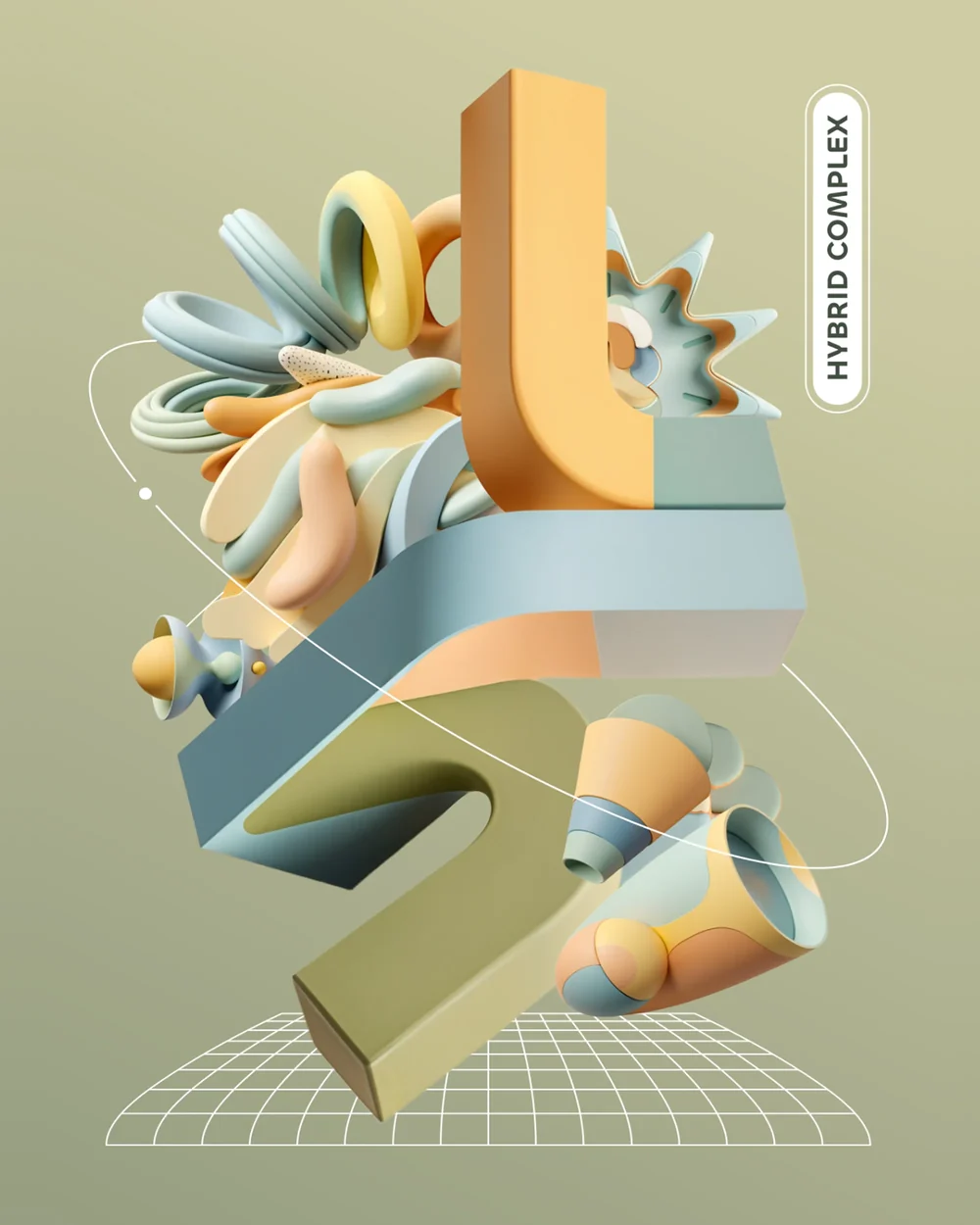
Opkle Editor is a graphic editor that handles vector, pixel, and video layers together on a single canvas. From the pen tool and path operations to photo adjustments, retouching, multiple artboards, and components, everything needed for covers and posters is in one place, without switching between programs.
Pricing
Every editing feature in Opkle is free to use. Only server AI features use credits as you go.No subscription · install and goFREEKRW 0 · every editing feature
Free
✓Canvas, layout, table, 3D, mind map, docs✓Image, video, EPUB and PDF export✓On-device AI erase and background removal✓Basic upscale · connect your AI via MCP
Credits
+Text AI and agents+Image and video generation+AI inpainting+HQ upscale · W3C checkBuy credits