Opkle Class - A 4-Week Design Course: Video, 3D and the Web
A 4-week online design course, taught in Korean. Finish video, 3D and a website yourself in Opkle Editor, which works like Figma. Live classes plus recordings.
From UX/UI and photos to video, 3D and code, finish it all in one place, the intuitive way.
Figma to Video, 3D & Web
A 4-week, Figma-style class for video, 3D and web. Finish three projects in Opkle, no subscription.ApplyKorea only · In Korean, paid in KRW. Not sold through Paddle.Class image__split__/study/index/class/garo_epub_12.mp4|/study/index/class/sero_epub_12.mp4__split__33__split__{"title":"Figma to Video, 3D & Web","desktop":"A 4-week, Figma-style class for video, 3D and web.\nFinish three projects in Opkle, no subscription.","mobile":"A 4-week, Figma-style class for video, 3D and web.\nFinish three projects in Opkle, no subscription."}About the ClassOpkle Editor is a no-subscription graphic editor with Figma's screen and shortcuts. Video, photos, and 3D in one. With weekly files, build video, 3D, and a website in four weeks, with 1:1 feedback on your work. Make the features you need as plugins with AI via MCP.Format Live online class, taught in Korean. Weekly recordings, so you can catch up if you miss one. Ask questions anytime, even outside class. Weekly practice with example, Figma, and video files. Includes 10,000 editor credits (worth ₩100,000).When and Where December 2, 9, 16, and 23, 2026 Wednesdays, 7:30 to 9:00 PM (KST) Online class (Google Meet)Projects From practice files: video, then 3D, then a website. One short-form video with keyframe motion A 3D mockup image wearing your design One website with your video, 3D, and photosWhy Opkle EditorFigma's Screen and ShortcutsOpen Figma files as they are, and paste back into Figma.Video, Photos, 3D in OneWork in one app, with no moving between tools.AI That Keeps Photos LocalErase backgrounds and objects locally, with no server.Just Say ItJust tell Opkle AI, or your own AI via MCP, what to do.Extend with PluginsMake plugins with AI, or get them from the market.No SubscriptionNo monthly fee, no price hikes. Only cloud AI uses credits, as you go.Tuition₩120,000 (4 weeks · materials included) 10,000 Opkle credits included (worth ₩100,000)How to ApplyUse the 'Apply' button at the top.What You GetWeekly Practice FilesExample, Figma, and video files, so no work of your own is needed.1:1 Feedback1:1 feedback and Q&A on work using what you learned.Student PageView class files on the dashboard, get shared files, and turn in homework.FAQDo I need to know Figma?No. Figma helps a little, but week one starts from the basics. Marketers, founders, and planners can follow.What if I have no work or footage?That's fine. You get example, Figma, and video files weekly, plus 1:1 feedback if you bring your own.Must I cancel Figma or Adobe?No. Bring in Figma, Photoshop, and Illustrator files as is, and paste back into Figma. Use both, then drop plans you no longer need.Can I build a website without coding?Yes. Design on the artboard, and the editor and AI turn it into code, all the way to launch.Do I need an AI subscription?No. The 10,000 credits are plenty for Opkle AI. MCP practice (week 1 connect, week 2 plugins) is hands-on with an AI like Claude, or a demo if not.What is MCP?A way for an AI like Claude to run other programs. Turn on MCP in the installed app, connect an AI, and it edits artboards and layers for you. We set it up in week 1.Can I make plugins without coding?Yes. Tell your AI what you need; it builds, tests, and adds the plugin. Fixes work the same way.Can I share my plugins?Yes. Share them on the market and get others' filters and tools. Yours shows once published.What happens after class?Your projects and plugins stay yours, with recordings to review. It leads into the next class.Does it work on Mac and Windows?Yes. MCP needs the installed app, which also opens more video formats, so install it before class.Curriculum1. Your Figma InstinctsMoving to Opkle Editor Open the practice Figma file, paste back into Figma Import practice PSD and Illustrator files Try Figma shortcuts, auto layout, and componentsConnect Your AI via MCP Turn on MCP in the desktop app Work artboards and layers with an AI like Claude Make several drafts just by askingLogo and Key Visual Design a logo and key visual from practice files Set design rules with color chips, fonts, and stylesPhotos Without Photoshop Remove backgrounds and unwanted objects with AI Finish photos with adjustments and retouching2. Advanced and PluginsLayouts That Hold Stretchy buttons and cards with frames and auto layout Organize size variants with constraints and layout grids Build a design system with components and variablesPro Photo Editing Fix tone and color with levels, curves, and selective color Match many photos with adjustment layers and styles Edit parts with subject select, healing, and filtersAdd Features with Plugins Get plugins from the market Make your own plugin by asking AI Refine a plugin and post it to the market3. Video and 3D MockupsVideo Editor Cut practice clips on the timeline, add grading and filters Combine video with music and your key visualKeyframes and Short-Form Animate with presets, keyframes, and motion paths Export MP4 sized for Reels and Shorts3D Mockups and Rendering Put your key visual on poster and book models Make lifelike mockups with lights, cameras, and materials Use mockup images in video and websites4. Websites and AIResponsive Web Pages Align mobile, tablet, and desktop artboards to one grid Add links and interactions, then check in preview Export web images in one goDesign to Code, Then Live Turn the design into code and finish the website Publish it with video, 3D, and photosHand It to AI Hand repetitive work to Opkle AI Have your connected AI make size variants and web work Present your projects and get feedbackWhat to Bring Laptop or PC : Mac or Windows Opkle Editor desktop app : install guide before classInstructorChanggyu Bae Designer/DeveloperGraphic designer and full-stack developer, once a back-end developer at AI and platform companies. Published the books Fever and Hybrid Complex, joined book fairs, and exhibited illustrations at Binkan Apgujeong. Develops the no-subscription graphic editor 'Opkle Editor' and runs 'Opkle', leading UX/UI design and development for its web projects. Taught ePub classes at Chaekbang Yeonhui, Platform P, and Busan Content Korea, now teaching at Opkle.Applythe Editor for Creators, OpkleInstall11
No Subscription Graphic Editor
Opkle Editor is a no-subscription graphic editor. From the pen tool and pathfinder to auto layout and components, design vectors like a pro.22
From Images to Video Editing
Opkle Editor handles vectors, photos, and video on one screen. Retouch photos with brushes and adjustments, then edit video on a timeline.33
Layout Design All in One Place
Opkle Editor comes with a layout editor as well. Design posters and book pages the same way, and export straight to PDF and images.44
From AI Images to AI Video
Opkle Editor supports many AI image and video generation models. Drop the results onto the artboard and edit them any way you like.55
Motion Graphics Made Easy
Opkle Editor makes motion graphics simple with a timeline and keyframes. Build motion from presets and export it as video.66
3D Editing and Mockups
Opkle Editor has a built-in 3D editor, too. Wrap your designs onto book and poster models and create lifelike mockups in one step.<Install on Mac or PC>Download OpkleMacWindowsLinux
Opkle Software
Opkle combines six modules to fit how you create. Rearrange them, and one editor works many ways.ProjectShareReviewCommentProposeVersionSchedule+2Book spineCanvasCanvasCanvas21LayoutLayoutLayout51 proposalTableTableTable323D3D3D4Mind mapMind mapMind map13PublishPublishPublish6Opkle editorfor design6 modulesFree linksShare · commentAIOpkle editorfor books6 modulesPlan → publishEPUB · PDFAICanvasVector and pixel graphicsLearn moreLayoutInDesign-style page layoutLearn moreTableTables like NumbersLearn more3D3D mockups of your designLearn moreMind mapPlan and writeLearn morePublishPublish onlineLearn more
AI via MCP
Connect Claude Desktop, Claude Code or Codex. Just ask, and the AI builds and edits your files.Only on this computerOpkle Editor✓On · 127.0.0.1:39141✓Claude Desktop✓Claude Code✓CodexToken required
In the App
Get the connect button and commands from the AI connection box in your profile. Local only, and it needs a token.ClaudeOpkle EditorCanvas and layout, by scriptInstall✓Addedopkle_statusopkle_readopkle_run_bundleopkle_run_scriptopkle_describeopkle_openMake the poster title bluerun_bundle✓✓Checked in preview
One Click
Press connect and Claude Desktop opens an install window. Opkle tools then edit your files from the chat.Terminal❯claude mcp add --transport http opkle …✔opkle · Connected❯Make a poster and two cardsOne scriptPoster✓Card 1✓Card 2✓✓Checked in preview
One Command
Paste the copied command into your terminal to connect. The AI builds designs by script and checks the preview.
Plugins
Add plugins, or simply ask your AI to build one. Grab more from the market and grow your editor.
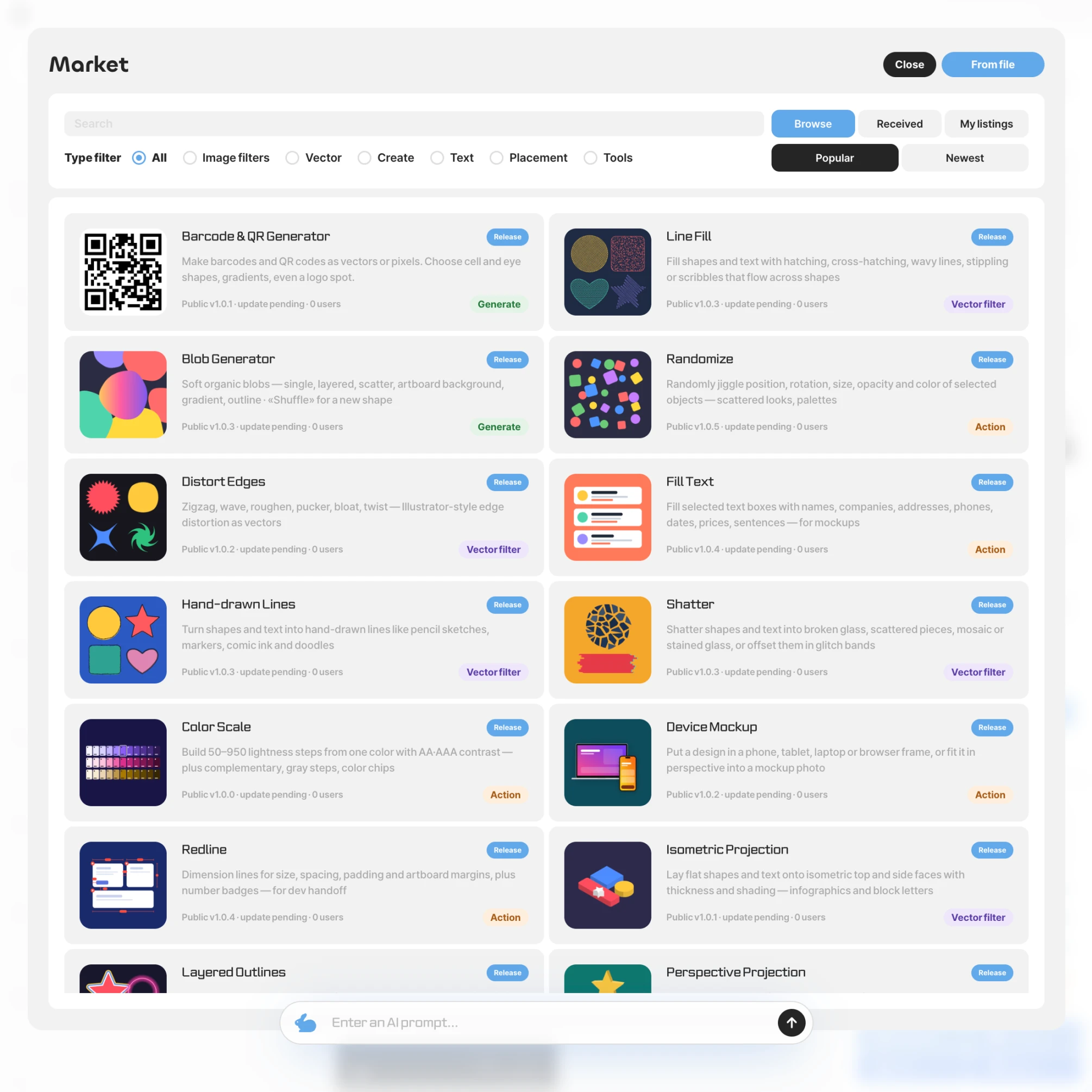
Market
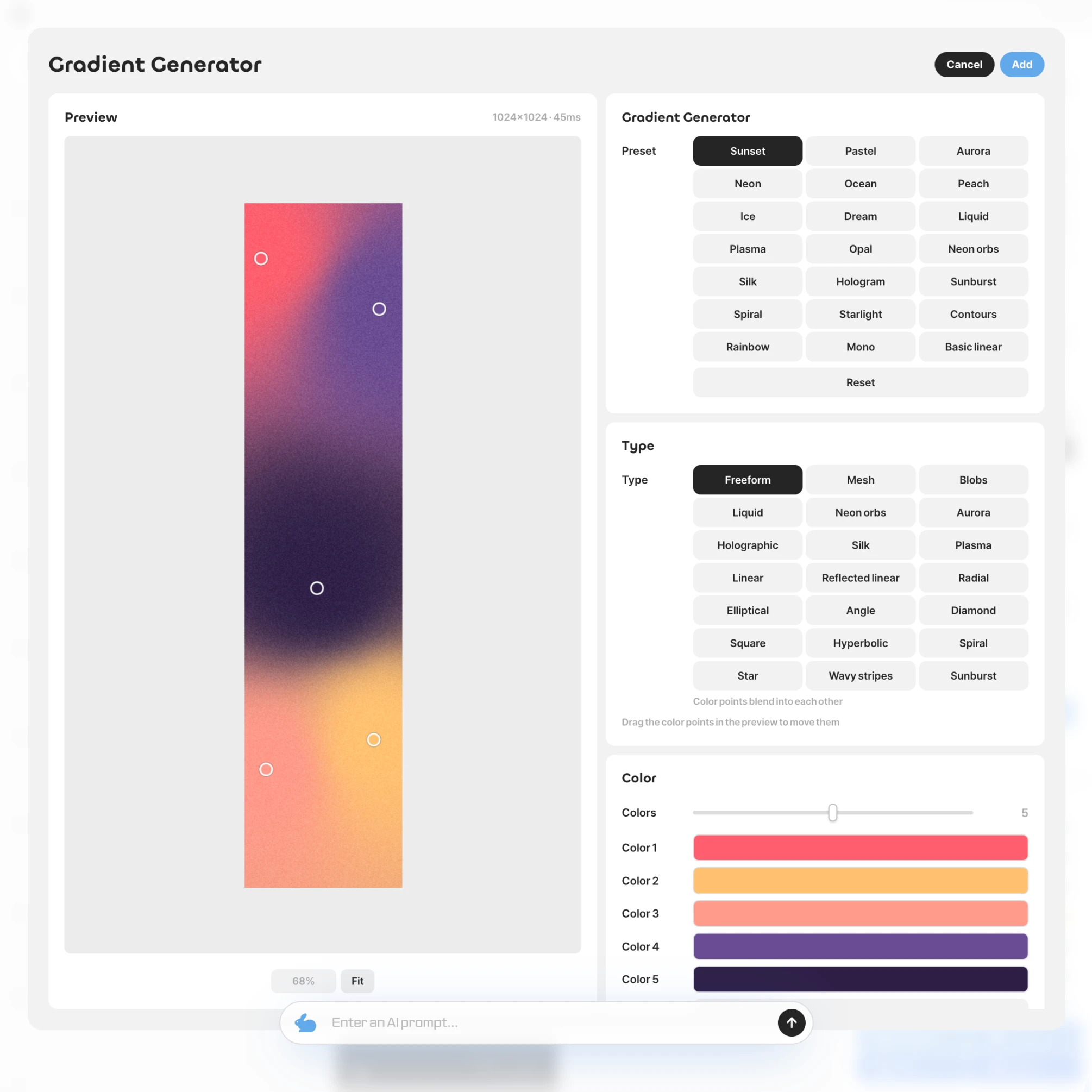
From built-in gradients, barcodes, and charts to filters and tools shared by others, pick what you need from the market. Once installed, it sits in the Plugins tab.
Built In
Preview and pick values just like in any other editor window. You can undo the result anytime with a single ⌘Z.Make me a barcode pluginMy AIMCPopkle-plugin.jsonmain.jsrender.js✓Tests passedBarcode makerCreate✓
Vibe Coding
Ask your own AI, connected over MCP, for the feature you want. It builds and tests the plugin, then adds it to your Plugins tab.Publish my pluginPlugin marketDesigner✓Marketer✓Writer✓
Share
Install plugins from the market and use them right away, and publish your own plugins to share with everyone.
All in One
See how Opkle joins scattered tools into one flow. From AI to graphics and video, all in one place.1
Scattered Editing Process
You gather images here and there, then pass through several tools before a design is done, an endless loop of export and import.2
A Collaborative Workflow
We wanted all those scattered tools in one place, where generating an image and fixing it by hand flow together. That is how Opkle began.3
Design Finished by Editing
Images made by AI can be reworked freely. Drop one straight onto the artboard and refine its colors and shapes into your own design.4
Video Editing in One Place
The same flow carries on into video. Color-grade a generated clip on the same screen and add motion on the timeline.
Requirements
Opkle Editor actively uses a local database (IndexedDB) to provide a fast and stable environment. Check the recommended specifications below for the best performance, or the minimum requirements for basic use. * At least 1GB of free storage space is required for installation and smooth data management.🖥️ RecommendedOS CPU RAM Storage BrowsermacOS 13, Windows 11 or later Apple M1 / Intel i5 / AMD Ryzen 5 or higher 8GB or more 2GB+ free space (SSD recommended) (For PWA app) Latest version of Chrome💻 MinimumOS CPU RAM Storage BrowsermacOS 11, Windows 10 or later Apple Silicon / Intel i3 (2 cores or more) 4GB 1GB or more of free space (For PWA app) Latest version of Chrome
Design Editor
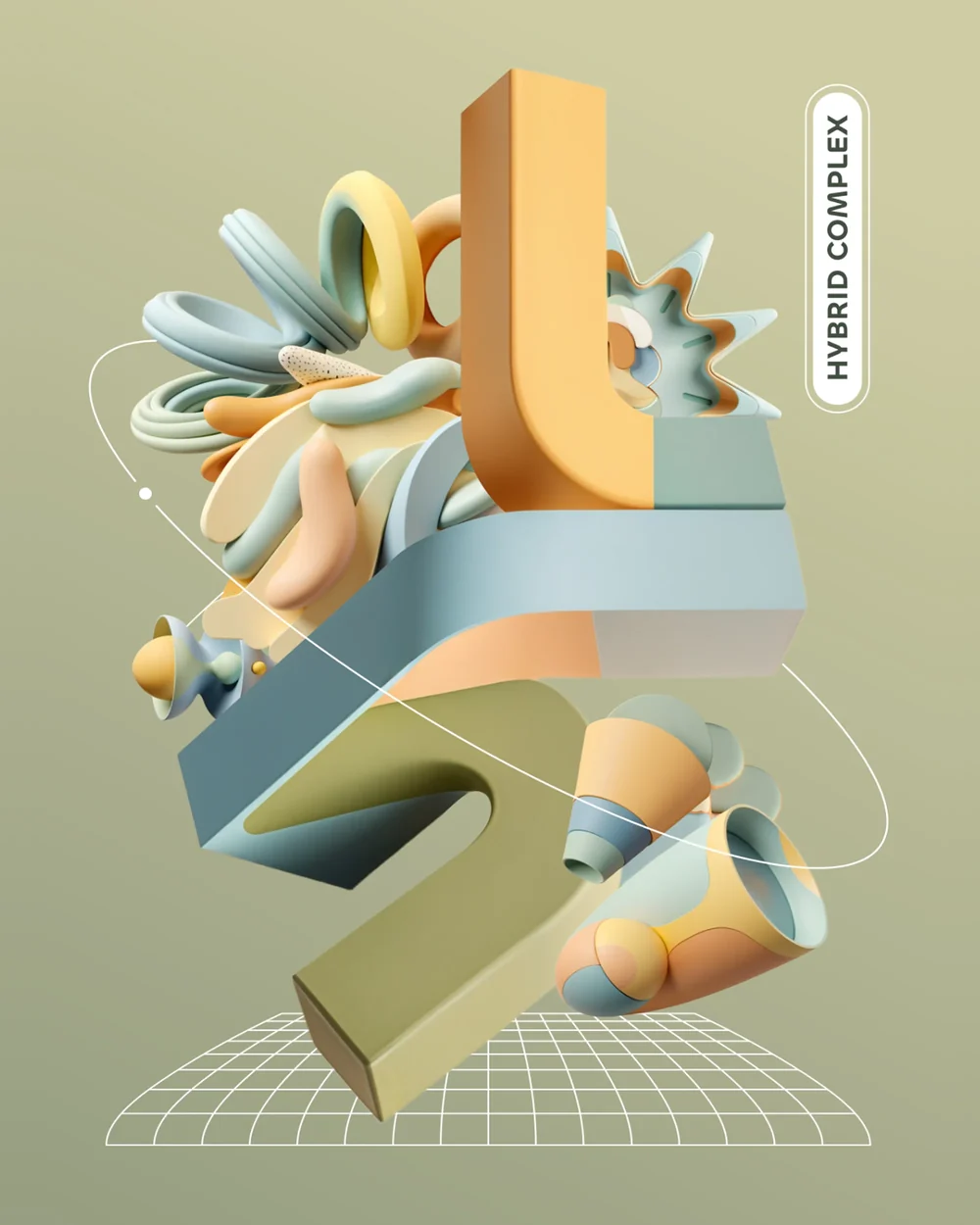
Opkle Editor is a graphic editor that handles vector, pixel, and video layers together on a single canvas. From the pen tool and path operations to photo adjustments, retouching, multiple artboards, and components, everything needed for covers and posters is in one place, without switching between programs.